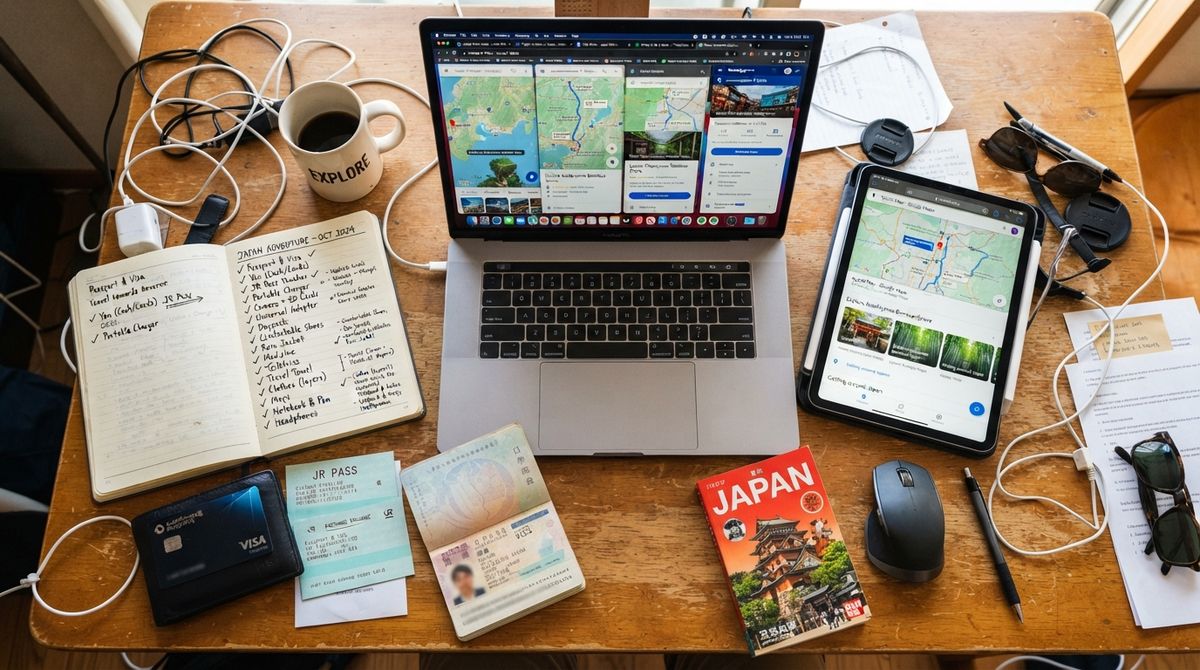
Many travelers now plan a few working days within a longer holiday, which raises a simple question about where to get things done. A hotel room offers privacy, yet it can feel cramped after a long day. A shared workspace provides a desk and fast internet, although the noise and cost can vary widely. Asking the right questions first saves frustration and keeps the trip enjoyable.
Ask yourself how many hours of focused work the trip really needs, and whether those hours involve calls, heavy files or quiet reading. Consider also the time zone of the people you must reach, since a midday meeting can fall in the middle of the night somewhere else. Check whether the place you stay has a dependable connection, and whether you have a backup plan if it fails. These answers shape every other choice you make about where to sit.
Matching the Workday to the Right Setting
A short task such as answering email may work fine at a cafe or a hotel lobby. Longer sessions with video calls usually need a room with a door, a stable table and a reliable connection. Readers may also want to visit awomansviews.com. Ask whether the setting allows phone calls without apologies, because background noise can undermine a professional impression. Choose the place that suits the most demanding task of the day, not the easiest one.
Think about the posture you will need for long sessions, and whether the chair and table support it. A pleasant view is pleasant, but a sturdy surface matters more when you are typing for hours. Test the space with the same headset and laptop you plan to use on the trip.
Comparing Price, Access and Hidden Limits
A cheaper option can cost more once its restrictions appear. Some shared offices charge extra for meeting rooms or printing, while hotels may bill for every hour of desk time. You can also visit filmepenet.org for more reading. Check opening hours, because a space that closes at dinner time will not help with a late call. Note whether guest passes allow access for the entire trip or only a few days, since renewals can be awkward.
Read the cancellation policy before paying, because plans often change on the road. Ask whether unused hours can be carried over or refunded. A flexible arrangement is worth a little extra when a meeting moves unexpectedly.
Securing Connections, Files and Devices in Public
Public networks carry risks that a home office rarely faces. Use a password manager, keep the operating system updated, and avoid saving sensitive files on shared computers. For a related read on this site, see Choosing Night Trains or Early Flights for Short. Bring a charged power bank and a spare cable, because outlets are often scarce near comfortable seats. Consider an encrypted connection for banking or client work, and log out completely after each session.
Turn on automatic screen locks and keep personal and work accounts separate where possible. Avoid leaving devices unattended while you step away for coffee. These habits take seconds to follow and prevent most of the problems that travelers later regret.
Planning Breaks, Meals and Rest
A remote work trip can slip into long days if breaks are not planned. Block time for walks, meals and short rests so the schedule feels humane rather than relentless. Choose a workspace near a grocery store or a cafe, since reliable food reduces decision fatigue in the afternoon. Let colleagues know your working hours so that meetings are not placed into your rest period. Rest protects focus, which is the real reason for working on the road in the first place.
Plan one afternoon each week with no calls at all, and treat it as protected time for the city or the landscape. A change of scene often sharpens thinking when the laptop returns to the desk. A calmer schedule also makes the trip feel like a trip rather than a longer commute.
Reviewing the Plan Before Departure
Before leaving, test the connection from the chosen location, confirm the booking and save offline copies of key documents. Pack a simple kit with chargers, headphones and a notebook. Share the schedule of calls with your team and note the best time for quiet work. A review on the final evening helps catch small gaps that would otherwise cause a stressful morning on arrival.
Leave a short note for the team describing where you will be working and how to reach you in an emergency. Save the workspace address and the password for the network in a secure place. Small preparations like these make the first morning of the trip feel organized and calm.
Working while traveling succeeds when the workspace fits the work, the budget and the rest the traveler needs. Honest questions about hours, time zones, connections and breaks reveal which option deserves the booking. Make those decisions early, and the trip can feel like an adventure rather than a scramble between tasks.